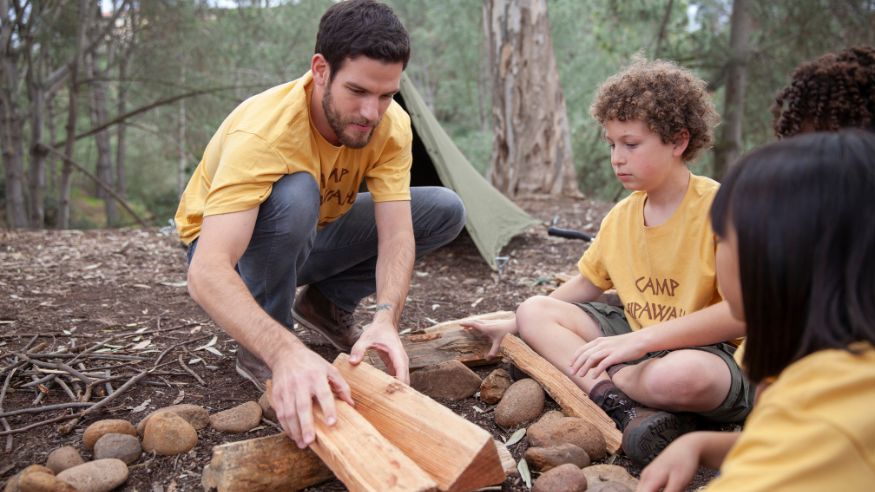
LinkedIn is the world’s largest professional networking platform with over 1 billion members. Whether you’re participating in an au pair program, working at a camp, completing an internship, or leading a service project, LinkedIn helps you build connections that can support your future.
The skills you’re gaining during your exchange program — cross-cultural communication, adaptability, leadership, problem-solving — are valuable to employers everywhere. A strong LinkedIn profile helps you showcase these skills and stay connected with the people you meet.
Why LinkedIn Matters for Exchange Participants
- Build your professional network. Connect with supervisors, host families, colleagues, and other exchange participants. These relationships can open doors for years to come.
- Showcase your international experience. Your exchange program demonstrates cultural competency, independence, and adaptability—qualities employers value highly.
- Find opportunities. Search for jobs, internships, and programs in your home country or anywhere in the world.
- Learn and grow. Access free professional development courses through LinkedIn Learning, follow industry leaders, and stay current in your field.
- Stay connected. Keep in touch with the people you meet during your program, even after you return home.
Creating Your LinkedIn Profile
Think of your LinkedIn profile as your online professional story. It shows who you are, what you’ve done, and where you’re going.
Profile Photo
Your profile photo should be of just you from the shoulders up against a plain wall. You don’t need a professional photographer — just good lighting and a clean look. Smile naturally, wear professional clothing, and make sure the photo is recent and high-quality.
Headline
This appears right under your name and is one of the first things people see. Make it specific and interesting.
❌ Weak: “Student at University”
✅ Strong: “Early Childhood Education Student | Au Pair with InterExchange”
❌ Weak: “Intern”
✅ Strong: “Marketing Intern | Helping Small Businesses Grow Online”
About Section
Write 3-5 sentences about yourself, including what you’re passionate about, your current program or role, your goals, and anything else that makes you unique.
Example: “I’m passionate about early childhood development and cultural exchange. Currently serving as an au pair in New York, where I care for two children and help them learn Spanish. I’m pursuing a degree in Education and hope to open a bilingual learning center in my home country. I love connecting with people from different cultures and finding creative ways to make learning fun.”
Your Experience
Each exchange program type brings valuable professional skills:
- Title: “Au Pair” or “Live-in Childcare Provider”
- Skills: Child development, behavior management, educational activities, cross-cultural communication, schedule management, meal planning, safety and first aid
- Impact: “Cared for two children ages 3 and 5, planned educational activities, managed daily schedules, and introduced Spanish language learning”
- Title: “Camp Counselor” or “Youth Program Leader”
- Skills: Youth development, activity planning, team leadership, safety management, conflict resolution, outdoor education
- Impact: “Led daily activities for 15 campers ages 8-12, ensured safety protocols, mentored junior counselors, and created an inclusive environment”
- Title: Use your actual title
- Skills: Industry-specific skills plus adaptability, international collaboration, project management
- Impact: Focus on specific projects and results
All Programs – Highlight Cultural Exchange:
- Add a line like: “Gained deep understanding of American culture while sharing my own cultural perspective, developing strong cross-cultural communication skills valued in today’s global workplace.”
Education
List your university, degree, and graduation year (or expected graduation). Include relevant coursework, academic honors, or study abroad experiences.
Skills
Add 10-15 skills relevant to your field and your program. LinkedIn allows people to endorse your skills, which strengthens your profile. Some examples include:
- Cross-cultural communication
- Adaptability
- Problem-solving
- Leadership
- Time management
- Language skills (list each language)
- Program-specific skills (childcare, teaching, marketing, etc.)
Customize Your URL
- Change your LinkedIn URL from the default numbers to your name.
❌ linkedin.com/in/u9834dfkjhet4
✅ linkedin.com/in/johndoe
How to do it: Click “Edit public profile & URL” on your profile page, then edit the URL on the right side.
Growing Your LinkedIn Network
LinkedIn is about building real relationships, not just collecting contacts.
Start With People You Know
- Program supervisor or host family
- Colleagues from your placement
- Other exchange participants you’ve met
- University professors and classmates
- Former employers from your home country
- Family friends in professional roles
How to connect: Click “My Network” → “Connections” → “Add personal contacts” to import from your email.
Understanding Connection Degrees
- 1st degree: You’re directly connected
- 2nd degree: You have a mutual connection (you can ask for an introduction)
- 3rd degree: Neither you nor your connections are connected to them
Send Personalized Connection Requests
Never use LinkedIn’s default message. Always personalize.
Template for someone you’ve met:
- “Hi [Name], It was great meeting you at [event/place]. I really enjoyed our conversation about [topic]. I’d love to stay connected as I continue my program. Looking forward to keeping in touch!”
Template for someone you haven’t met:
- “Hi [Name], I’m currently participating in an exchange program at [company/organization] and came across your profile. I’m interested in learning more about [their field/company]. Would you be open to connecting?”
Keep Relationships Going
Don’t just connect and forget. Build real relationships by:
- Commenting thoughtfully on posts
- Sharing relevant articles
- Congratulating people on new jobs or achievements
- Reaching out with genuine questions
- Offering help when you can
Remember: Networking is about mutual benefit. Think about how you can help others, not just what they can do for you.
Join Groups & Follow Companies
LinkedIn groups connect you with people who share your interests.
Groups to consider:
- Your university alumni group
- Industry-specific groups
- Professional associations in your field
- Exchange program alumni groups
- Groups related to your home country
How to participate:
- Read discussions to learn industry trends
- Comment on posts that interest you
- Share relevant articles or insights
- Ask thoughtful questions
- Connect with active members
Note: Don’t post “Can anyone help me find a job?” Build relationships first, then opportunities follow naturally.
Follow Companies
Following organizations you’re interested in helps you to:
- See job postings
- Stay updated on company news
- Learn about company culture
- Find people to connect with
How? Click “Follow” on any company page. Their updates will appear in your feed.
Utilize LinkedIn Learning
LinkedIn Learning offers thousands of courses on professional skills. Depending on your access (through an employer, university, or library), many of these courses may be available at no cost to you.
Popular course topics include:
- Professional communication
- Time management
- Excel and data analysis
- Marketing fundamentals
- Project management
- Leadership skills
- Language learning
Pro tip: Many courses include certificates you can add to your profile.
Request & Give Recommendations
Recommendations are written endorsements from people you’ve worked with. They add credibility to your profile.
When to ask:
- At the end of your program
- After completing a major project
- When someone offers to support you
How to ask:
- Go to the person’s profile → “More” → “Request a recommendation”
- Message template: “Hi [Name], I really valued working with you during my time at [organization]. As I prepare for my next steps, would you be willing to write a brief LinkedIn recommendation highlighting my work on [specific project or skill]? I’m happy to provide any details that would be helpful. Thank you for considering this!”
Give recommendations
Write recommendations for supervisors, colleagues, or other exchange participants. Professional relationships are reciprocal, and giving recommendations makes you more visible on their profiles.
Using LinkedIn to Search for Jobs & Research
LinkedIn is now one of the primary ways people find jobs. Many applications happen directly through LinkedIn.
How to Search
- Click “Jobs” in the top navigation
- Enter keywords and location
- Use filters to narrow results:
- Job type (full-time, internship, etc.)
- Experience level
- Company
- Date posted
Set Up Job Alerts:
Save searches and turn on notifications. LinkedIn will email you when new jobs match your criteria.
Use “Open to Work”
This feature lets recruiters know you’re job searching. You can make it visible to:
- All LinkedIn members (shows a #OpenToWork frame on your profile photo)
- Only recruiters (private)
How to turn it on: Click your profile photo → “Open to” → Specify job titles, locations, and job types
The “Easy Apply” Feature
Many jobs allow you to apply with just your LinkedIn profile—no separate resume needed. This makes LinkedIn profile completeness crucial. Don’t forget to include a cover letter if given the option!
Research Before Interviews
Use LinkedIn to prepare for interviews:
Research the company:
- Read their recent posts and updates
- Check their “About” section
- See who works there
Research your interviewer:
- Read their background
- Find common connections or interests
- Note their career path
Note: Don’t mention specific personal details during the interview—it can feel uncomfortable. Instead, use what you learn to ask better questions.
Share Your Experiences Through Posts
What to Post About
Your exchange experience- Key lessons you’re learning
- Cultural insights
- Professional challenges you’ve overcome
- Skills you’re developing
- Interesting articles with your perspective
- Trends in your field
- Questions that spark discussion
- Completing a major project
- Earning a certification
- Reaching program goals
Posting Tips
- Keep posts concise (2-4 short paragraphs)
- Start with a hook that grabs attention
- Include a photo or video when possible
- Use 3-5 relevant hashtags
- Ask a question to encourage engagement
- Post consistently (once or twice per week)
- “Three months into my exchange program, and I’ve learned that adaptability is more than a buzzword—it’s essential. Last week, I had to lead a presentation in my second language to a team I’d just met. Nervous? Absolutely. But stepping outside my comfort zone is exactly why I’m here. What’s one professional skill you’ve developed by doing something that scared you? #CulturalExchange #ProfessionalGrowth #Leadership”
Best Practices, Mistakes & Privacy Tips
Best Practices
✅ Complete your profile fully – Every section matters
✅ Use a professional photo – First impressions count
✅ Personalize connection requests – Show genuine interest
✅ Engage regularly – Comment, share, post
✅ Give as much as you receive – Help others succeed
✅ Showcase your exchange experience – It’s valuable
✅ Stay active year-round – Not just when job hunting
✅ Be authentic – Let your personality show
✅ Proofread everything – Check spelling and grammar
✅ Build real relationships – Quality over quantity
Common Mistakes to Avoid
❌ Having an incomplete profile – An empty profile suggests you’re not serious about your professional development.
❌ Using an unprofessional photo – Group photos, party pictures, or heavily filtered selfies don’t belong on LinkedIn.
❌ Ignoring messages and invitations – Respond promptly, even if just to say thank you.
❌ Only using LinkedIn when job hunting – Stay active year-round. Post occasionally, engage with others, and maintain relationships.
❌ Asking for jobs immediately after connecting – Build relationships first. Show genuine interest in people.
❌ Copying and pasting the same message to everyone – Personalize every connection request and message.
❌ Forgetting to proofread – Spelling and grammar mistakes look unprofessional. Ask someone to review your profile.
❌ Not including your exchange experience – Your international program is a valuable professional experience—showcase it!
Privacy and Safety Tips
- Protect your information: Don’t share your full address (city is enough)
- Be cautious about sharing your phone number publicly
- Adjust privacy settings if needed (Settings → Visibility)
During your program:
- It’s okay to share that you’re an exchange participant
- Be thoughtful about photos and location tags
- Remember that supervisors and host families can see your posts
After your program:
- Update your location
- Change your headline to reflect your next steps
- Keep your profile active even after returning home
LinkedIn Tips by Program Type
Au Pairs
Emphasize transferable skills: Your childcare experience develops skills valuable in many fields: communication, patience, problem-solving, cultural sensitivity, time management, and crisis response. Connect with:- Other au pairs (current and alumni)
- Early childhood education professionals
- Organizations focused on child development
- Families in your host community
- Childcare and education companies
- Child development organizations
- Educational resource providers
Camp Counselors
Highlight leadership: Camp experience shows you can lead, teach, manage groups, handle emergencies, and create positive environments. Connect with:- Other camp staff
- Youth development professionals
- Outdoor education specialists
- Camp directors and administrators
- Camp organizations and networks
- Youth development nonprofits
- Recreation and outdoor education companies
Interns and Trainees
Focus on industry skills: Combine your technical/industry skills with the cultural competency and adaptability gained through international work. Connect with:- Colleagues from your host company
- Professionals in your industry
- University career services and alumni
- Industry leaders you admire
- Companies in your target industry
- Professional associations
- Industry publications and thought leaders
Your Next Steps
- Create or update your profile – Spend 30 minutes making it strong.
- Add 10 connections – Start with people you know.
- Join 3 groups – Find communities in your field.
- Follow 5 companies – Stay informed about opportunities.
- Post something – Share one insight from your experience.
- Request a recommendation – Ask your supervisor or host before you leave.
Remember: LinkedIn is a long-term tool. The connections you build and the profile you create during your exchange program will support your career for years to come. Start now, stay consistent, and watch your network grow.